
2 paper trading APIs, 1 multi agent LLM framework, 1 MCP server that hands TradingView data to Claude, and 1 open source backtesting engine, plus Glassbench, the open source desk that runs the LLM framework and sends its decision to a paper broker. What each one is free for, what the interface looks like, and the code that connects a strategy to it.
Every backtest is a claim about the past. A paper account is the cheapest way to find out whether the claim survives contact with a real order book, real fills and real latency, without paying for the lesson. All 6 tools below are free at the point of use, and each repository was opened and checked on 27 September 2026.
Order runs from the broker outward. 2 paper trading APIs first, because a strategy that cannot place an order is a chart. Then a framework that generates the signal with LLM agents, the desk built here to watch that framework work and route its decision to a broker, a server that feeds market data into an AI client, and an engine that backtests the whole thing locally.
| Tool | What it is | Free tier | Licence, stars |
|---|---|---|---|
| Alpaca | Broker API, Python SDK alpaca-py | Paper account, IEX data | Apache 2.0, 1,500 |
| Interactive Brokers | TWS socket API, ib_async | Paper account with any IBKR login | BSD 2, 1,700 |
| TradingAgents | Multi agent LLM trading framework | Code; LLM is paid or local | Apache 2.0, 109,000 |
| Glassbench | Desk over TradingAgents and AI Hedge Fund | All of it; LLM key or Ollama | Apache 2.0 |
| TradingView MCP | MCP server, screeners and TA | No TradingView account | MIT, 4,700 |
| QuantConnect Lean | Backtest and live engine, lean CLI | Local backtests, no account | Apache 2.0, 22,000 |
Star counts are rounded from the repository pages on the day of the check. Read them as adoption, nothing more. A broker SDK with 1,500 stars sits on top of a regulated broker, which matters more than any number on GitHub.
Every code block below is a file in a public folder, with a README and a requirements.txt: github.com/davidalmeida90/quant-models/tree/main/trading-integration. MIT licence. Each section links to its own file above the code.
Analysts read fundamentals, news, sentiment and the chart. A bull and a bear researcher argue the case. A trader proposes a position and a risk team pushes back on the size before a portfolio manager signs off. Every one of those is an LLM call, and the video runs the whole chain end to end on DeepSeek, with each agent's report and the debate on screen as they happen. Framework is TradingAgents by Tauric Research, covered in section 3 below.
I post the models as I build them, the changes I make to them, and the results that did not work. Shorter than these write ups, and there are a lot more of them.
Follow me on X


All the code on this page is on GitHub, one public folder with a README and a requirements.txt:
github.com/davidalmeida90/quant-models/tree/main/trading-integration
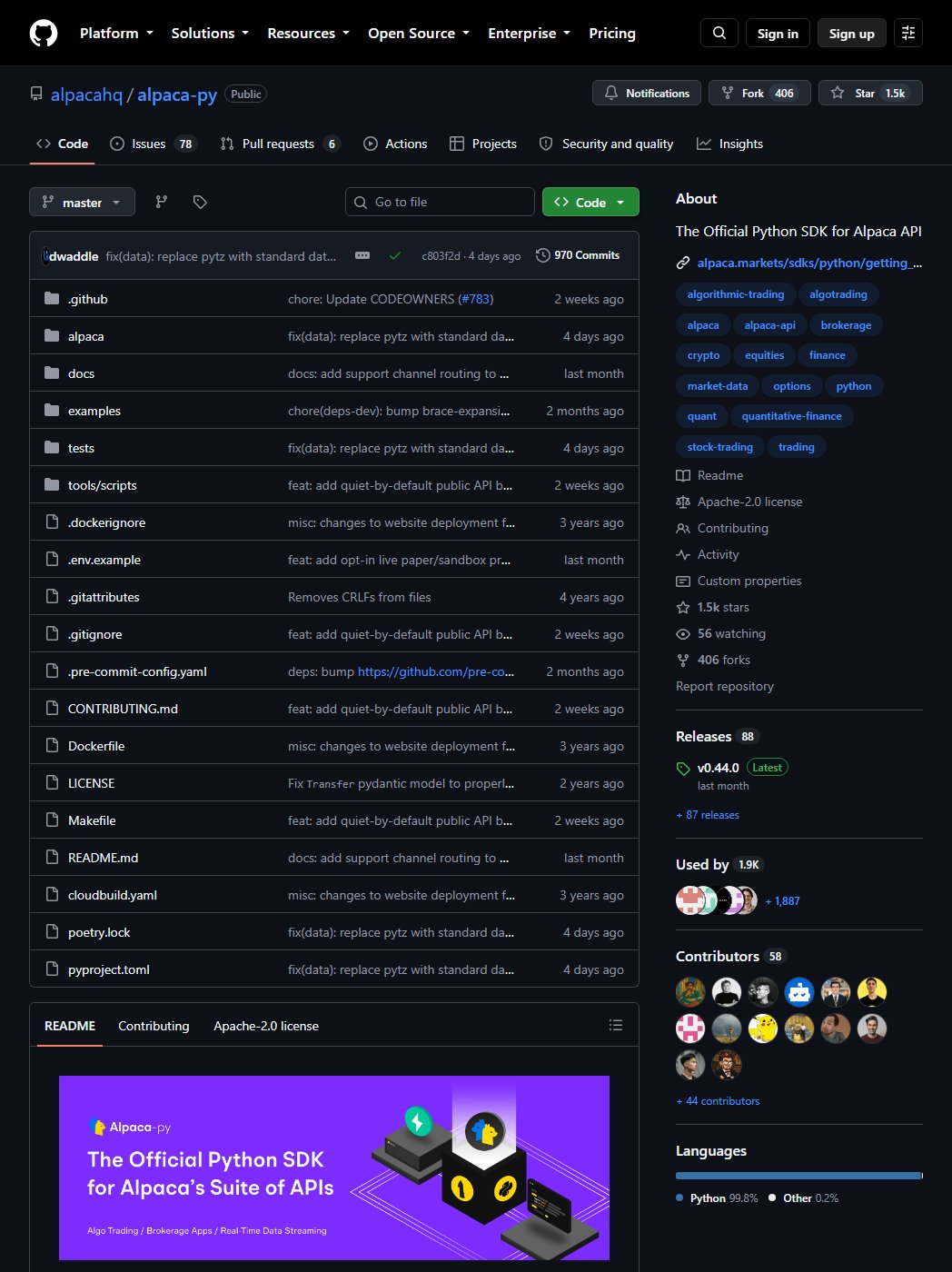
Alpaca is a US broker built around its API. A paper account is free, needs no funded live account, and comes with a key and secret that only work against the paper endpoint, so a bug in your code cannot reach real money. Market data on the free tier comes from IEX, a single exchange that prints a small share of US volume, so quotes can sit a few cents off the consolidated tape on thin names. Fine for daily signals on SPY, a problem for anything that trades the spread. Full SIP data is the paid plan.
Python SDK is alpaca-py, maintained by Alpaca, Apache 2.0, about 1,500 stars. Trading and data live in 2 clients, and every request is a typed object, which catches a wrong field name before it hits the wire.
File: alpaca_paper.py
in the quant-models repo. Runs on the paper endpoint because of paper=True;
same code with live keys and the flag dropped trades a live account.
"""alpaca paper, from the write-up at
https://davidariasfinance.com/scripts/free-trading-tools/
"""

# pip install alpaca-py
# paper keys from alpaca.markets, Paper Trading, set as environment variables:
#   ALPACA_KEY, ALPACA_SECRET
import os
from datetime import datetime, timedelta

from alpaca.trading.client import TradingClient
from alpaca.trading.requests import MarketOrderRequest
from alpaca.trading.enums import OrderSide, TimeInForce
from alpaca.data.historical import StockHistoricalDataClient
from alpaca.data.requests import StockBarsRequest
from alpaca.data.timeframe import TimeFrame
from alpaca.data.enums import DataFeed

KEY, SECRET = os.environ["ALPACA_KEY"], os.environ["ALPACA_SECRET"]

trading = TradingClient(KEY, SECRET, paper=True)     # routes to paper-api.alpaca.markets
acct = trading.get_account()
print(acct.status, acct.buying_power, acct.portfolio_value)

order = trading.submit_order(MarketOrderRequest(
    symbol="SPY", qty=1, side=OrderSide.BUY, time_in_force=TimeInForce.DAY))
print(order.id, order.status)                       # accepted, then filled a moment later

data = StockHistoricalDataClient(KEY, SECRET)
bars = data.get_stock_bars(StockBarsRequest(
    symbol_or_symbols="SPY", timeframe=TimeFrame.Day,
    start=datetime.now() - timedelta(days=30), feed=DataFeed.IEX))   # IEX is the free feed
print(bars.df.tail())
Who benefits: anyone starting from zero. No desktop software, no port, nothing to keep open. Weakest fit for futures and options, which the paper account does not cover the way Interactive Brokers does.
Every Interactive Brokers account comes with a paper account attached, its own username starting with DU and 1,000,000 of simulated cash. It trades everything the live account can, stocks, futures, options, FX, with the same order types. Nothing runs in the cloud: TWS or IB Gateway runs on your machine and the API is a socket on localhost. Port 7497 is TWS paper (7496 live), 4002 is Gateway paper (4001 live). Cost is a regular IBKR account to get the paper login, and a desktop application that has to stay open.
ib_async is the maintained fork of ib_insync, which stopped in 2024. BSD 2, about 1,700 stars. Same API, so every ib_insync example online still works after changing the import.
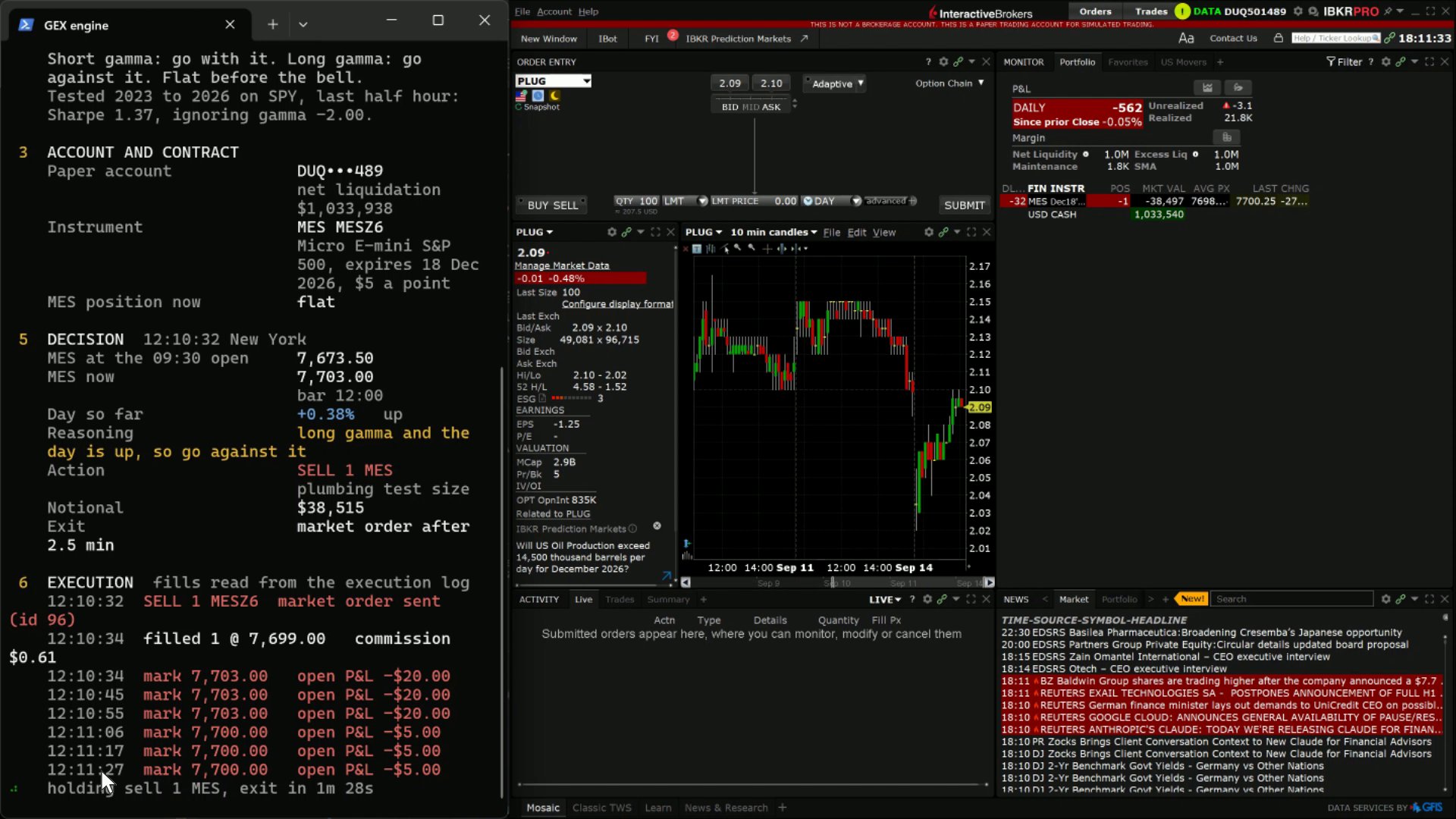
Both live in TWS under Edit, Global Configuration, API, Settings. First, tick Enable ActiveX and Socket Clients, or the port never opens and the connect call hangs. Second, untick Read-Only API. It is on by default, and with it on every order comes back rejected while account and position reads work, which sends people looking for a bug in their code. Add 127.0.0.1 to Trusted IPs on the same screen and the connection popup stops asking.
File: ibkr_paper.py in the quant-models repo.
"""ibkr paper, from the write-up at
https://davidariasfinance.com/scripts/free-trading-tools/
"""

# pip install ib_async
# TWS or IB Gateway logged into the paper account, and under Global Configuration > API > Settings:
#   Enable ActiveX and Socket Clients ticked, Read-Only API unticked, 127.0.0.1 in Trusted IPs
from ib_async import IB, Future, Stock, MarketOrder

ib = IB()
ib.connect("127.0.0.1", 7497, clientId=7)      # 7497 = TWS paper, 4002 = IB Gateway paper

mes = Future("MES", "202612", "CME")           # Micro E-mini S&P 500, December 2026, $5 a point
spy = Stock("SPY", "SMART", "USD")
ib.qualifyContracts(mes, spy)                  # fills conId, exchange, multiplier
print(mes.localSymbol, mes.multiplier)         # MESZ6 5

trade = ib.placeOrder(mes, MarketOrder("SELL", 1))
ib.sleep(2)
print(trade.orderStatus.status, trade.orderStatus.avgFillPrice)

for f in ib.fills():                           # read fills here, not from orderStatus
    print(f.execution.time, f.execution.side, f.execution.shares, f.execution.avgPrice)

for p in ib.positions():
    print(p.contract.localSymbol, p.position, p.avgCost)

account = ib.managedAccounts()[0]              # DU... on paper
ib.reqPnL(account)
ib.sleep(1)
print(ib.pnl())                                # dailyPnL, unrealizedPnL, realizedPnL

ib.disconnect()
One trap worth naming. Read fills from ib.fills() or the execution events, never
from orderStatus alone. A parent order with child orders can report Cancelled
with filled=0 once the children complete, while the executions underneath are
correct. A wait loop should key on filled quantity, not on isDone().
Streaming quotes on a paper account need a market data subscription shared from the live login, otherwise error 10168. Historical bars, option chain parameters and implied volatility work without it, so a strategy that signals off daily bars needs nothing.
Who benefits: anyone who will eventually trade futures or options, or who wants one code path from paper to live.
interactivebrokers.com › TWS · github.com/ib-api-reloaded/ib_async
TradingAgents is a multi agent LLM framework that mimics a trading firm. 12 agents in 5 stages read the data, argue both sides, propose a trade, stress it, and decide. Paper is arXiv 2412.20138 by Xiao, Sun, Luo and Wang, licence Apache 2.0, about 109,000 stars.
Free covers the code and the market data, which comes from yfinance and FRED by default. Every agent is an LLM call, so a run costs either API credit or local compute: cents on DeepSeek, more on frontier models, and nothing at all on a local model through Ollama.
 Article on Medium
A 12 agent AI investment committee for $0.09. Here is what it decided.
10 AI agents build the case, 2 decide, and neither judge ever reads the data. Inside GitHub's most starred trading project, tested over 68 runs with every log published.
Read the article
Article on Medium
A 12 agent AI investment committee for $0.09. Here is what it decided.
10 AI agents build the case, 2 decide, and neither judge ever reads the data. Inside GitHub's most starred trading project, tested over 68 runs with every log published.
Read the article
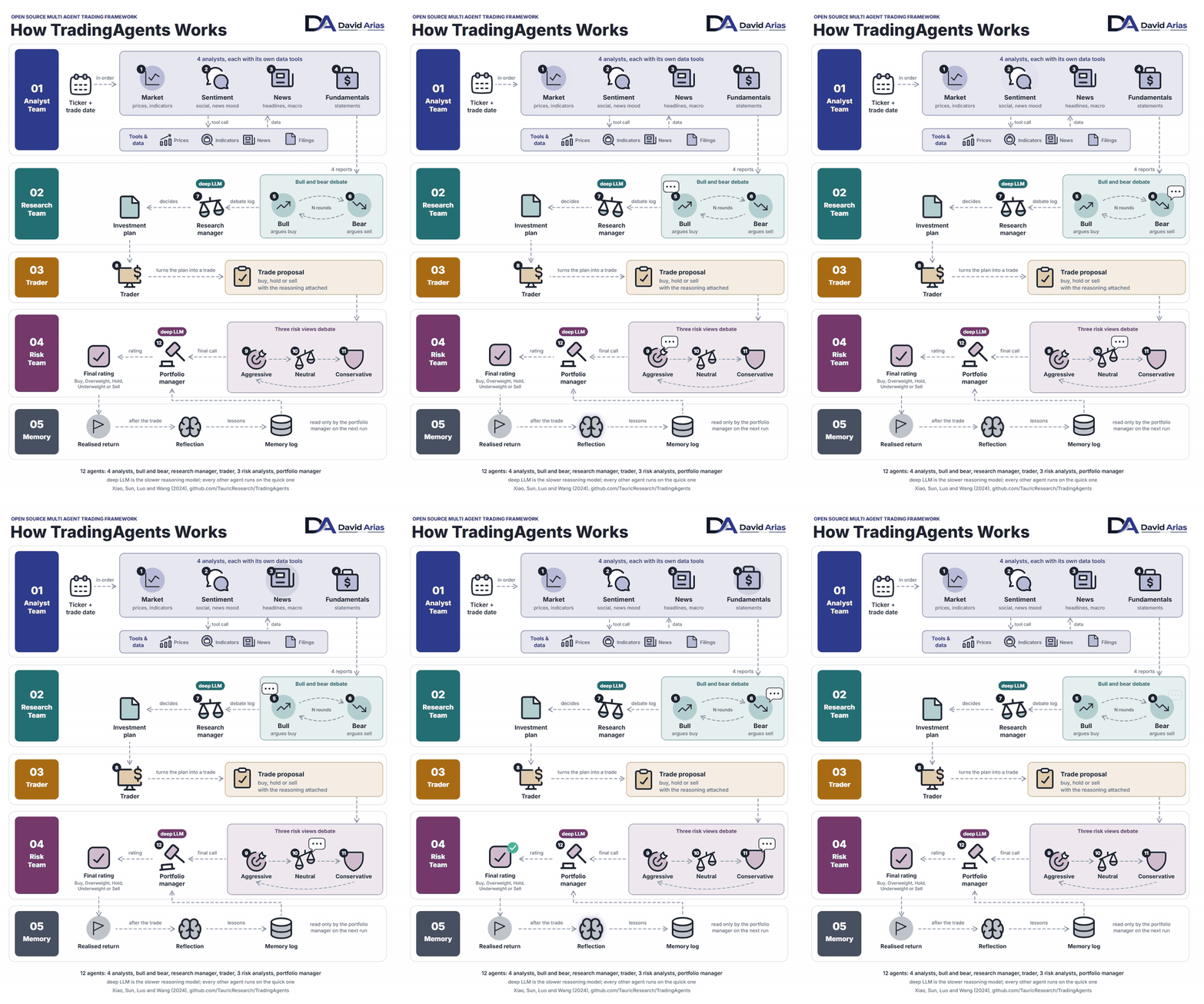
01, analyst team. A ticker and a trade date go in. 4 analysts run, each with its own data tools: market reads prices and indicators, sentiment reads social and news mood, news reads headlines and macro, fundamentals reads the statements. Every tool returns data dated on or before the trade date, which is what makes a backtest possible later. 4 reports come out.
02, research team. A bull argues buy and a bear argues sell over those 4 reports for N rounds, 1 by default. A research manager on the deep LLM reads the debate log and decides the investment plan.
03, trader. Turns the plan into a trade proposal, buy, hold or sell, with the reasoning attached.
04, risk team. 3 risk views debate the proposal: aggressive, neutral and conservative. A portfolio manager, again on the deep LLM, gives the final call and the rating, Buy, Overweight, Hold, Underweight or Sell.
05, memory. After the trade, the realised return feeds a reflection step, and the lessons land in a memory log that only the portfolio manager reads on the next run.
12 agents in total: 4 analysts, bull and bear, research manager, trader, 3 risk analysts,
portfolio manager. 2 LLM tiers decide the cost. deep_think_llm serves the
research manager and the portfolio manager, the 2 decisions. quick_think_llm
serves everyone else, which is most of the tokens: the analysts' tool calls and both
debates. A slow reasoning model on the deep role and a fast cheap one on the quick role
brings a full 4 analyst run to about 6 cents on DeepSeek, which is how the video at the
top of this page runs it.
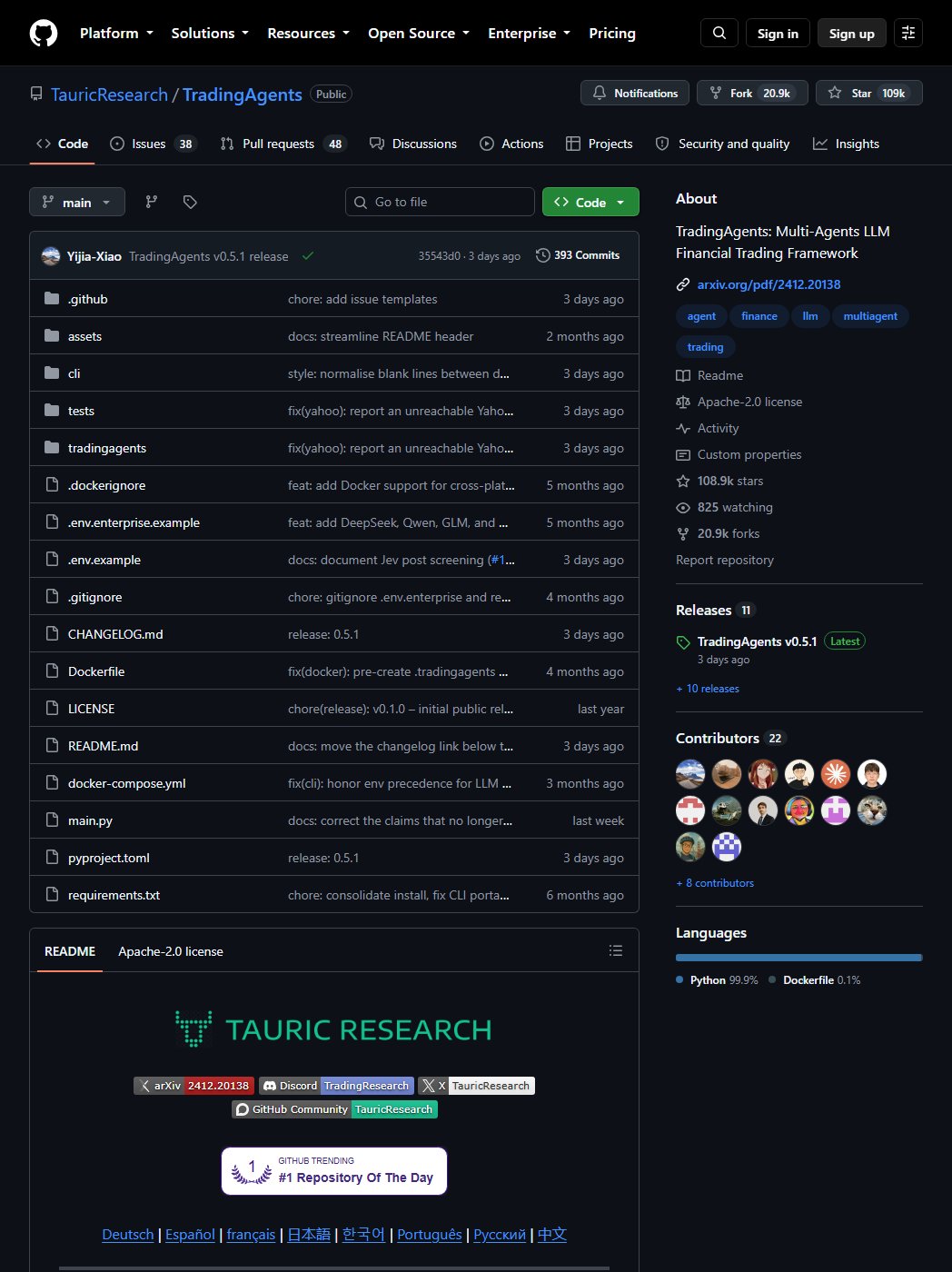
File: tradingagents_run.py
in the quant-models repo. Repository ships a pyproject.toml, so it installs
with pip from a clone. Config is a plain dictionary copied from DEFAULT_CONFIG;
the 3 keys that matter are the provider and the 2 model names. One flag switches between
OpenAI (README default models on the day of the check), DeepSeek, and a local Ollama
model, which the framework reads through backend_url on port 11434. An 8B
model handles the analyst reports; the debate gets noticeably weaker below that size.
"""tradingagents run, from the write-up at
https://davidariasfinance.com/scripts/free-trading-tools/
"""

# git clone https://github.com/TauricResearch/TradingAgents.git && cd TradingAgents && pip install .
# provider comes from --provider or the TA_PROVIDER environment variable: openai, deepseek or ollama
# keys live in the environment, never in code: OPENAI_API_KEY or DEEPSEEK_API_KEY; Ollama needs none
#   ollama pull qwen3:8b            (for the local run)
import argparse
import os

from tradingagents.graph.trading_graph import TradingAgentsGraph
from tradingagents.default_config import DEFAULT_CONFIG

ap = argparse.ArgumentParser()
ap.add_argument("--provider", default=os.environ.get("TA_PROVIDER", "openai"),
                choices=["openai", "deepseek", "ollama"])
ap.add_argument("--ticker", default="NVDA")
ap.add_argument("--date", default="2026-09-01")
args = ap.parse_args()

config = DEFAULT_CONFIG.copy()
config["max_debate_rounds"] = 1              # 2 doubles the calls and rarely changes the call

if args.provider == "openai":                # paid API key, README defaults on 27 Sep 2026
    config["llm_provider"] = "openai"
    config["deep_think_llm"] = "gpt-6-sol"       # reasoning: research manager, portfolio manager
    config["quick_think_llm"] = "gpt-6-luna"     # fast: analysts, debates, tool calls
elif args.provider == "deepseek":            # paid API key, about 6 cents a full run, what the video uses
    config["llm_provider"] = "deepseek"
    config["deep_think_llm"] = "deepseek-v4-pro"     # the 2 managers
    config["quick_think_llm"] = "deepseek-v4-flash"  # everyone else
else:                                        # local, free, through Ollama's OpenAI compatible endpoint
    config["llm_provider"] = "ollama"
    config["backend_url"] = "http://localhost:11434/v1"
    config["deep_think_llm"] = "qwen3:8b"
    config["quick_think_llm"] = "qwen3:8b"

ta = TradingAgentsGraph(debug=True, config=config)
state, decision = ta.propagate(args.ticker, args.date)   # ticker, trade date
print(decision)                                            # BUY, SELL or HOLD with the reasoning
Who benefits: anyone who wants to see what an LLM committee decides and why, with the reasoning exposed at every step. Not a backtester, and not a broker connection. Its output is a decision and a transcript, which is where the next tool picks up.
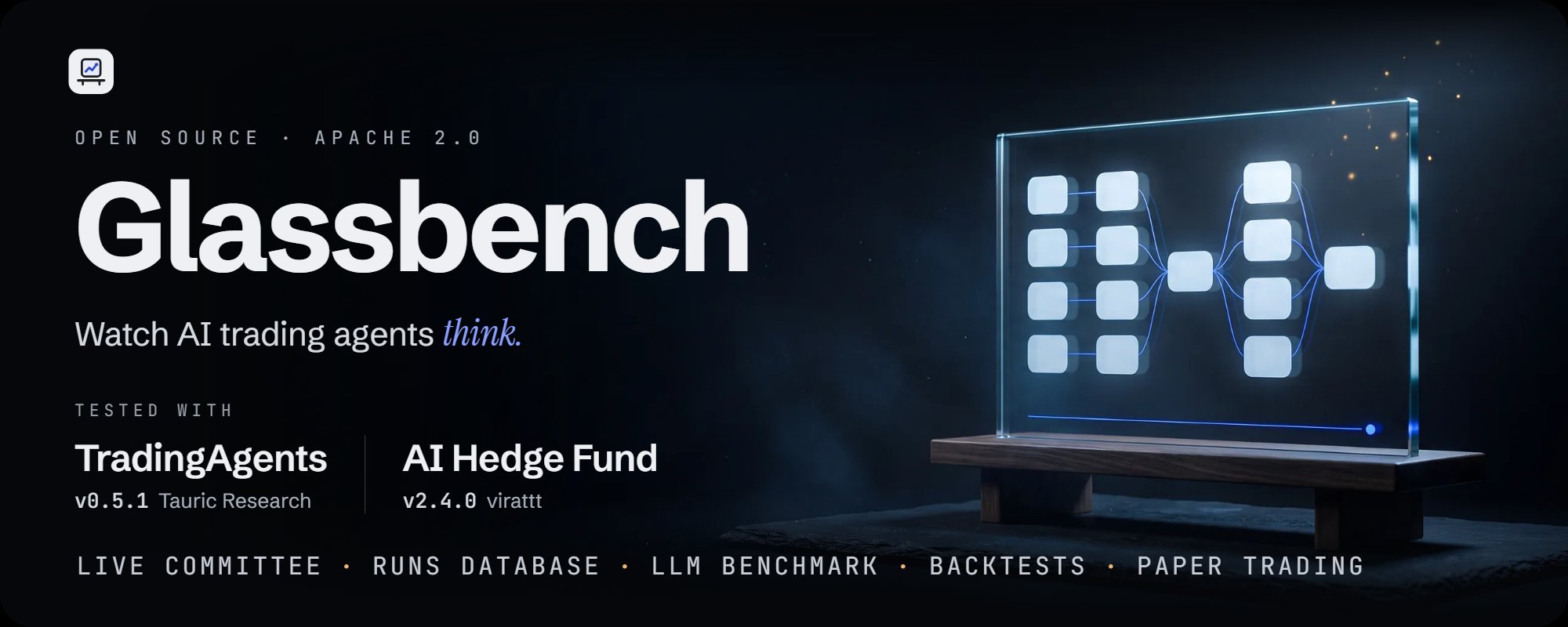
Glassbench is the project behind the video at the top of this page, and the piece between the framework above and the brokers in sections 1 and 2. It is a local web desk that runs the official TradingAgents engine (0.5.1, unmodified) and AI Hedge Fund (2.4.0, unmodified) side by side on the same ticker and date, and records what their agents read, argued and decided, so the method can be judged instead of a rating trusted. Apache 2.0, source at github.com/davidalmeida90/glassbench, full write up at davidariasfinance.com/glassbench.
Live run and replay. 12 agents in 5 stages, one card per agent with what it is doing right now and what it concluded, the DeepSeek reasoning stream if you want it, and a timeline of every LLM and tool call. An AI Hedge Fund run gets the same page: one lane per investor agent and the earnings drift model, then the blend, the risk limits and the simulated fill. Every run can be replayed step by step afterwards.
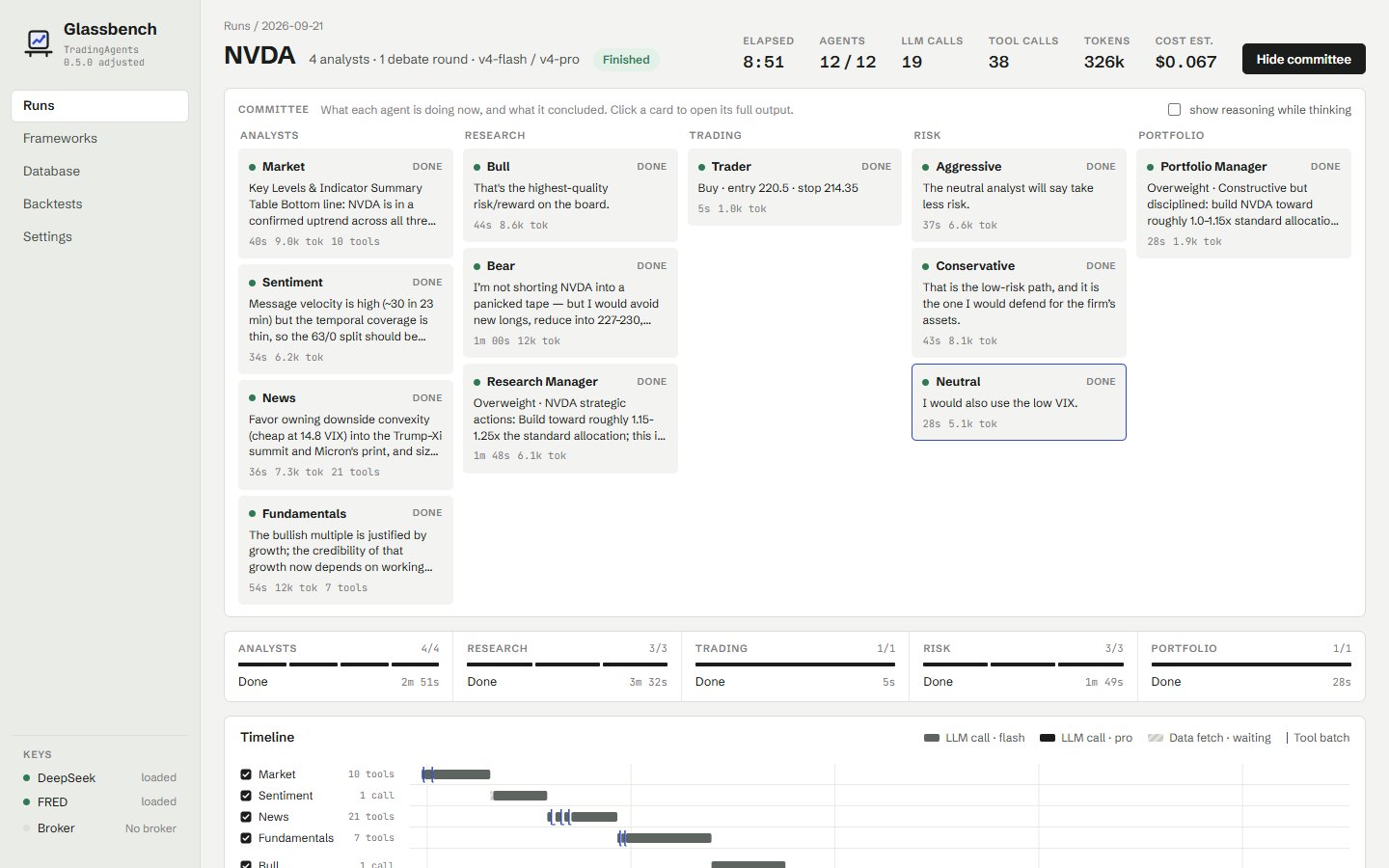
A database of every run. Framework and version, models, ticker, date, rating, entry, stop, target, horizon, tokens, cost, flags. Filter by any of them, full text search inside the logs, export to CSV. Runs from both frameworks share one table. The repository ships 77 runs on 9 tickers as a courtesy, 69 from TradingAgents and 8 from AI Hedge Fund, including 2 Microsoft runs from the video that disagree on the same day.
Benchmark LLMs on the same harness. Framework fixed, models yours to choose. Pick the provider and type any model id for the quick role (reads and debates) and the deep role (the 2 managers decide). DeepSeek is the default; OpenAI, Anthropic, Google, xAI, Qwen, GLM, MiniMax, Mistral, Kimi, Groq, OpenRouter and a local Ollama are one key away. Every run records which model was asked for and which was actually served.
Backtests with an honest simulator. Weekly grids of runs with a budget cap, next open fills, trading costs, buy and hold and moving average baselines, and a shuffled rating placebo. Pilot on AAPL and NVDA had the agents' trader levels lose money while buy and hold gained, and the page says so.
Then trade it, on paper. trade.py turns a finished run into one
bracket order on an Interactive Brokers paper account, with the trader's stop and the
portfolio manager's target attached, and links the order back to the run that produced it.
Long only, fixed size, paper ports only, and a y/N confirmation before anything is sent.
Commands are the quick start of the Glassbench README, verbatim. Python 3.11 or newer, Node 22 or newer, Git, and an API key for one LLM provider. Engine is cloned at its released tag, next to the app, and never edited.
# 1. Clone Glassbench and the engine.
git clone https://github.com/davidalmeida90/glassbench.git
cd glassbench
git clone --branch v0.5.1 --depth 1 https://github.com/TauricResearch/TradingAgents.git

# 2. Python environment.
py -3.11 -m venv .venv            # Mac or Linux: python3 -m venv .venv
.\.venv\Scripts\Activate.ps1      #                source .venv/bin/activate
pip install -r requirements.txt
pip install -e .\TradingAgents

# 3. Keys. Copy .env.example to .env and paste your key after the equals sign
#    (DEEPSEEK_API_KEY, or the variable of the provider you will pick).

# 5. Start.
.\glassbench.ps1                  # Mac or Linux: ./glassbench.sh

# Headless, without the browser:
cd backend
python -m deskapp run NVDA --analysts market,news,fundamentals
First start builds the frontend, then the app is at http://127.0.0.1:8765.
Press New run, pick a ticker, a date, the analysts, the provider and the 2 models, and
watch the committee work. A full 4 analyst run takes about 8 minutes and costs about 6
cents on DeepSeek. Step 4 in the README, optional, clones AI Hedge Fund into its own
environment.
Honest limits, from the README. TradingAgents' paper reports 1 backtest on 3 stocks over 3 months, and an independent test over longer windows landed below buy and hold. 2 runs on the same ticker and date can differ; the database holds twin runs 2 minutes apart with opposite ratings. Nothing in it is a ready system to trade with, and orders go to paper accounts only.
Who benefits: anyone who has run the framework once in a terminal and wants to compare 10 runs, 2 models, or 2 frameworks, and anyone who wants the decision to reach a broker with the argument still attached.
github.com/davidalmeida90/glassbench · davidariasfinance.com/glassbench
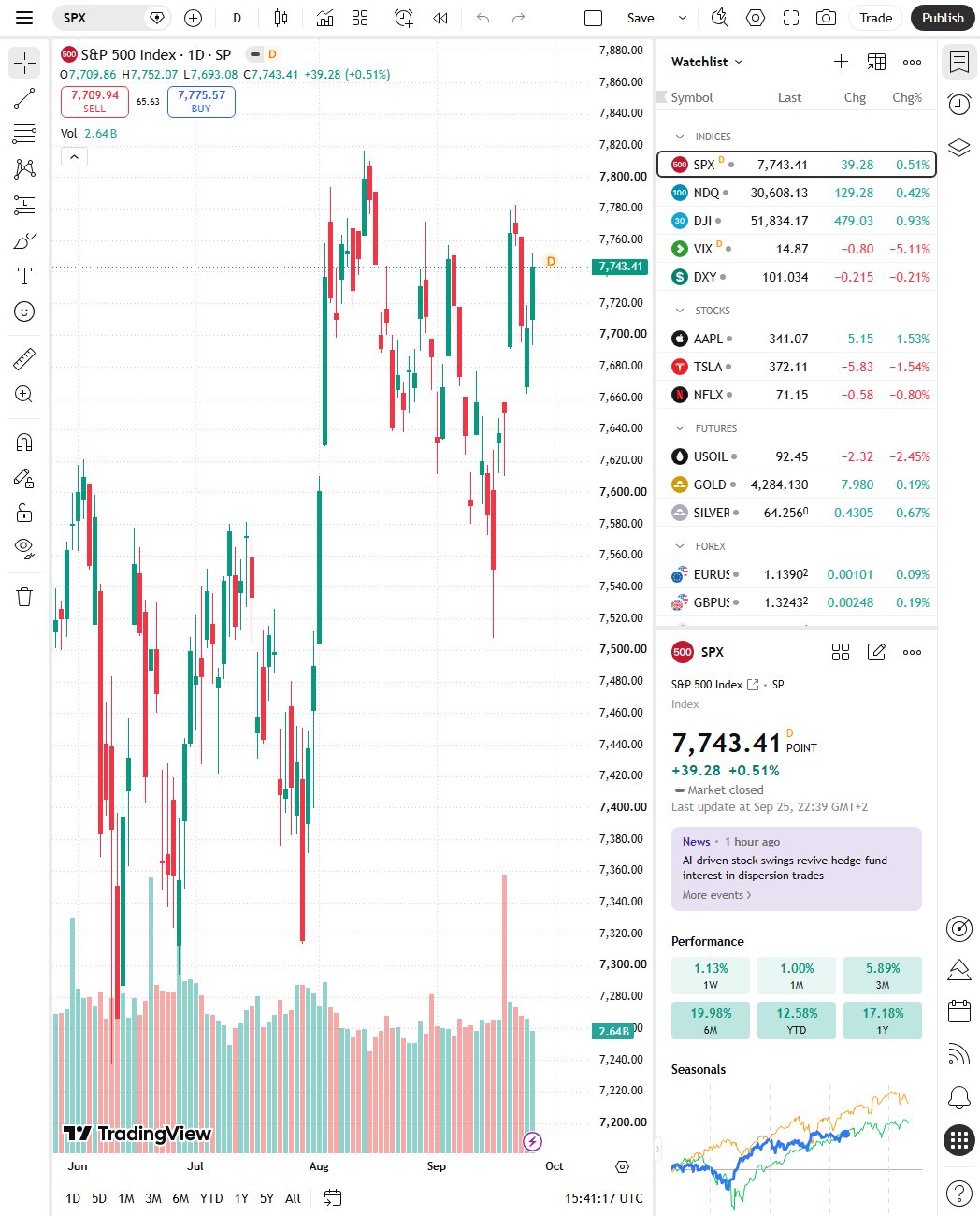
An MCP server is a small program that exposes functions with a typed schema to an AI client over the Model Context Protocol, so Claude Code, Claude Desktop, Cursor or any MCP client can call them mid conversation. This one, by atilaahmettaner, wraps TradingView's screener and technical analysis data plus Yahoo prices into 37 tools: screeners, top gainers and losers, Bollinger and multi timeframe analysis, signal scans, and a backtest runner. MIT licence, about 4,700 stars. No TradingView account or key is needed; an optional free Marketaux token switches on the news and sentiment tools.
What that buys in practice: type "screen US stocks above the 200 day with RSI under 40 and backtest a 20/50 crossover on the top 5" into Claude, and the model calls the tools, reads the numbers, and answers with them, without a line of your own code.
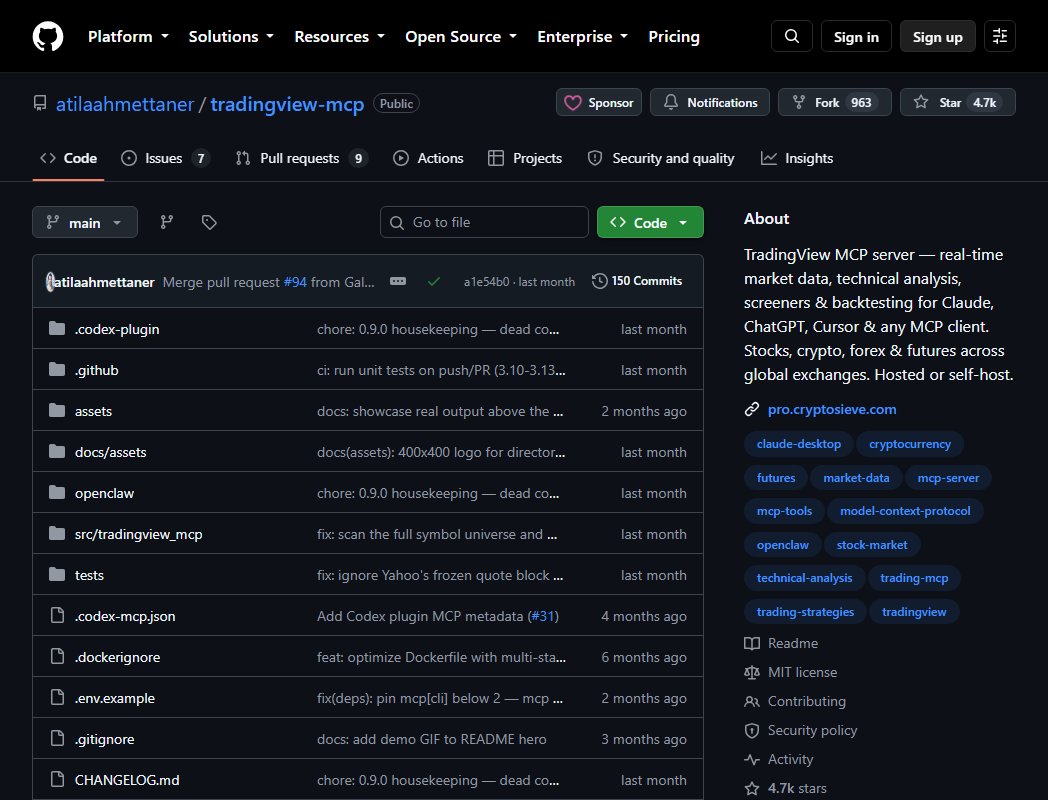
Files: tradingview_mcp.md and tradingview_mcp.json in the quant-models repo. Install lines and the config block are copied from the server's README on the day of the check. uvx runs the package in an isolated environment, so nothing lands in your global Python.
pip install tradingview-mcp-server
uv tool install tradingview-mcp-server

claude mcp add tradingview -- uvx --from tradingview-mcp-server tradingview-mcp

export MARKETAUX_API_TOKEN=your_token_here
Claude Desktop and Cursor read the same server from a JSON file,
claude_desktop_config.json on the desktop app. Path to uvx must be absolute
there, because the app does not inherit your shell PATH. On Windows it is
%USERPROFILE%\.local\bin\uvx.exe.
{
  "mcpServers": {
    "tradingview": {
      "command": "/Users/YOUR_USERNAME/.local/bin/uvx",
      "args": ["--from", "tradingview-mcp-server", "tradingview-mcp"]
    }
  }
}
Who benefits: anyone who already works inside Claude or Cursor and wants market data in the same window. Weakest fit as a data pipeline for a production strategy, since the numbers arrive as tool results in a chat, not as a DataFrame you control.
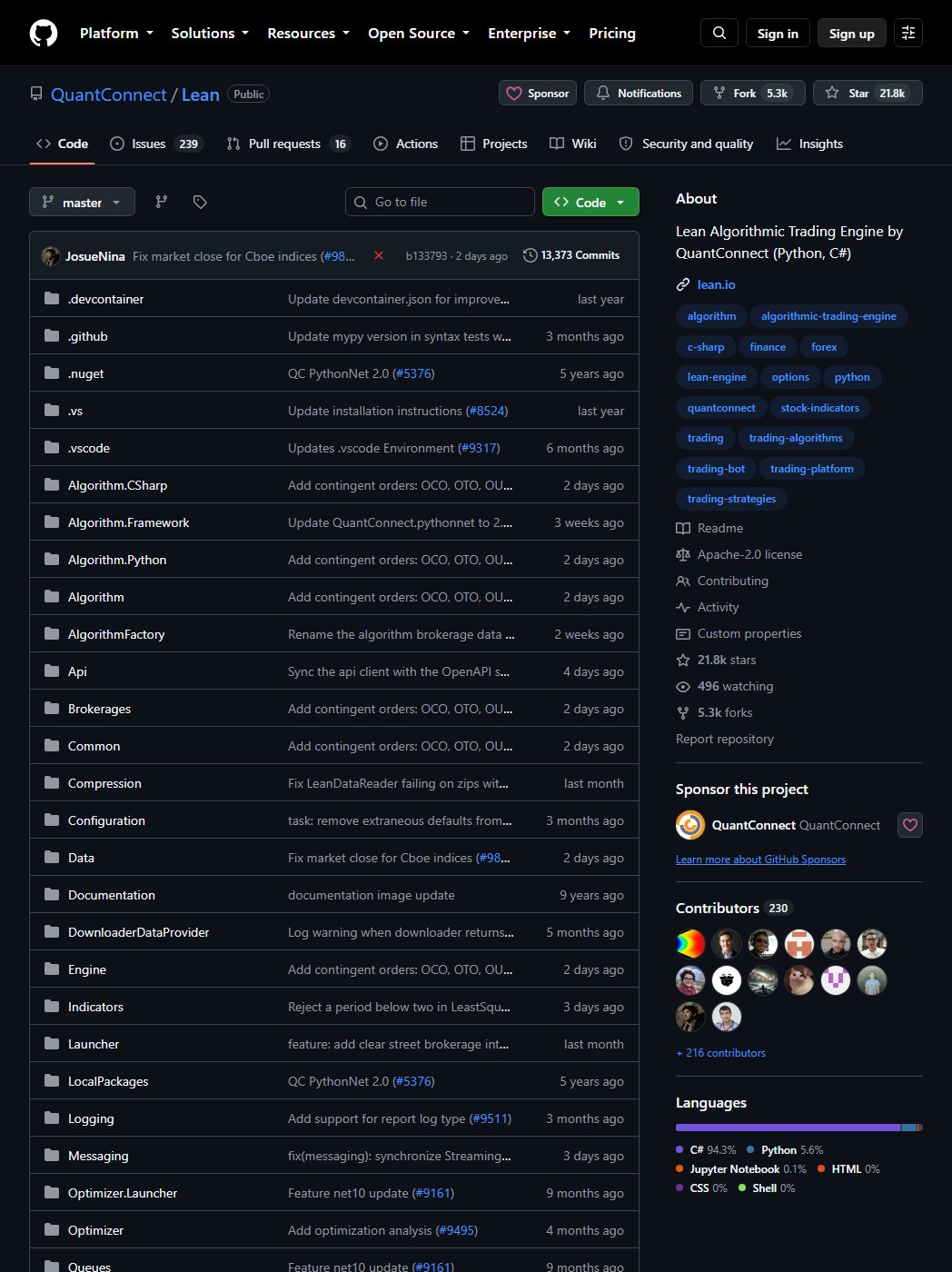
Lean is the engine underneath QuantConnect, released as open source under Apache 2.0, about 22,000 stars and 230 contributors. Core is C#, algorithms are written in Python or C#, and the same algorithm class runs a backtest, an optimisation, a paper session or a live connection to Interactive Brokers, Alpaca and a dozen other brokers. Survivorship bias, splits, dividends and corporate actions are handled in the engine rather than left to you.
Local use goes through the lean CLI, which runs the engine in Docker. No
QuantConnect account is needed for a local backtest; lean init pulls the sample
data and a config into the working folder. Cloud backtests, more data and live deployment
through QuantConnect's servers are the paid side.
File: lean_commands.md
in the quant-models repo. Command names are from the lean-cli README on the day of the
check. Docker Desktop has to be running before lean backtest.
pip install --upgrade lean
mkdir lean-workspace && cd lean-workspace
lean init                                        # sample data + lean.json, no login needed
lean create-project --language python "SPY Hold" # starter main.py and research.ipynb
lean backtest "SPY Hold"                         # runs in Docker, results in SPY Hold/backtests/
File: lean_spy_hold.py
in the quant-models repo. Replace the generated main.py with it. It buys SPY
once with the full portfolio and holds, which is the baseline every strategy has to beat.
"""lean spy hold, from the write-up at
https://davidariasfinance.com/scripts/free-trading-tools/
"""

# pip install --upgrade lean          (see lean_commands.md; this file replaces the generated main.py)
# AlgorithmImports exists inside the Lean Docker container, not in a local Python
from AlgorithmImports import *

class SpyHold(QCAlgorithm):

    def Initialize(self):
        self.SetStartDate(2020, 1, 1)
        self.SetEndDate(2025, 12, 31)
        self.SetCash(100_000)
        self.spy = self.AddEquity("SPY", Resolution.Daily).Symbol
        self.SetBenchmark(self.spy)

    def OnData(self, data: Slice):
        if not self.Portfolio.Invested and data.ContainsKey(self.spy):
            self.SetHoldings(self.spy, 1.0)       # 100% of equity into SPY
            self.Debug(f"Bought SPY at {data[self.spy].Close}")
Who benefits: anyone whose strategy needs a proper event driven backtest with corporate actions before it touches a paper account, and anyone who wants paper and live through the same file. Cost is Docker, a C# sized install, and a learning curve steeper than a pandas loop.
github.com/QuantConnect/Lean · github.com/QuantConnect/lean-cli
Same loop works with either broker above, and with any signal source: a random forest, a gamma rule, or the TradingAgents decision.
File: route.py
in the quant-models repo. signal_fn is whatever you have. It takes a symbol and
returns (side, reference_price). Everything else is plumbing.
"""route, from the write-up at
https://davidariasfinance.com/scripts/free-trading-tools/
"""

# pip install alpaca-py ib_async
# keys through the environment only: ALPACA_KEY and ALPACA_SECRET for Alpaca paper;
# IBKR needs TWS or IB Gateway logged into the paper account on port 7497
import json, os, time
from datetime import datetime, timezone

def route(signal_fn, symbol="SPY", qty=1, broker="alpaca", max_notional=50_000, log="fills.jsonl"):
    side, ref = signal_fn(symbol)                     # ("BUY" | "SELL" | None, price the model saw)
    if side is None or qty * ref > max_notional:      # risk check before any broker call
        return None
    if broker == "alpaca":
        from alpaca.trading.client import TradingClient
        from alpaca.trading.requests import MarketOrderRequest
        from alpaca.trading.enums import OrderSide, TimeInForce
        tc = TradingClient(os.environ["ALPACA_KEY"], os.environ["ALPACA_SECRET"], paper=True)
        o = tc.submit_order(MarketOrderRequest(symbol=symbol, qty=qty, side=OrderSide[side],
                                               time_in_force=TimeInForce.DAY))
        time.sleep(2); o = tc.get_order_by_id(o.id)
        fill = float(o.filled_avg_price or 0)
    else:                                             # "ibkr", TWS paper on 7497
        from ib_async import IB, Stock, MarketOrder
        ib = IB(); ib.connect("127.0.0.1", 7497, clientId=9)
        c = Stock(symbol, "SMART", "USD"); ib.qualifyContracts(c)
        ib.placeOrder(c, MarketOrder(side, qty)); ib.sleep(2)
        fill = ib.fills()[-1].execution.avgPrice; ib.disconnect()
    row = {"t": datetime.now(timezone.utc).isoformat(), "broker": broker, "symbol": symbol,
           "side": side, "qty": qty, "signal_px": ref, "fill_px": fill,
           "slip_bps": 1e4 * (fill - ref) / ref}      # signed, compare with the backtest weekly
    with open(log, "a") as f:
        f.write(json.dumps(row) + "\n")
    return row

if __name__ == "__main__":
    def always_buy(symbol):                           # replace with your model
        return "BUY", 500.0
    print(route(always_buy, broker=os.environ.get("BROKER", "alpaca")))
Backtest side of the comparison is the strategy run over the same dates with the same
signal function and a fixed fill assumption. Paper side is fills.jsonl. When
the 2 curves agree to within the slippage column, the model is telling the truth about
itself, and that is the only thing a paper account is for.
Every file on this page, with a README and a requirements.txt, lives in one folder:
github.com/davidalmeida90/quant-models/tree/main/trading-integration.
MIT, fork it and swap in your own signal_fn.
Code for this page: quant-models/trading-integration on GitHub. Free options data covers where the chains come from. Volatility models is the toolbox for the signal side. Gamma exposure is the strategy running on the desk in section 2, and agentic investment committee is an earlier multi agent build on the same idea as TradingAgents.